.png)
AI Agent Testing
The Playground lets you send test queries directly to an AI Agent and evaluate how it responds using its connected knowledge sources. For each response, you can inspect the sources cited, view a per-step execution timeline, and confirm the agent is drawing on the right indexed data before deploying it to a live channel.
Prerequisites
An AI Agent with at least one knowledge source indexed (status: Done).
Admin access to the AI Agent you want to test.
Steps
1. Select the AI Agent
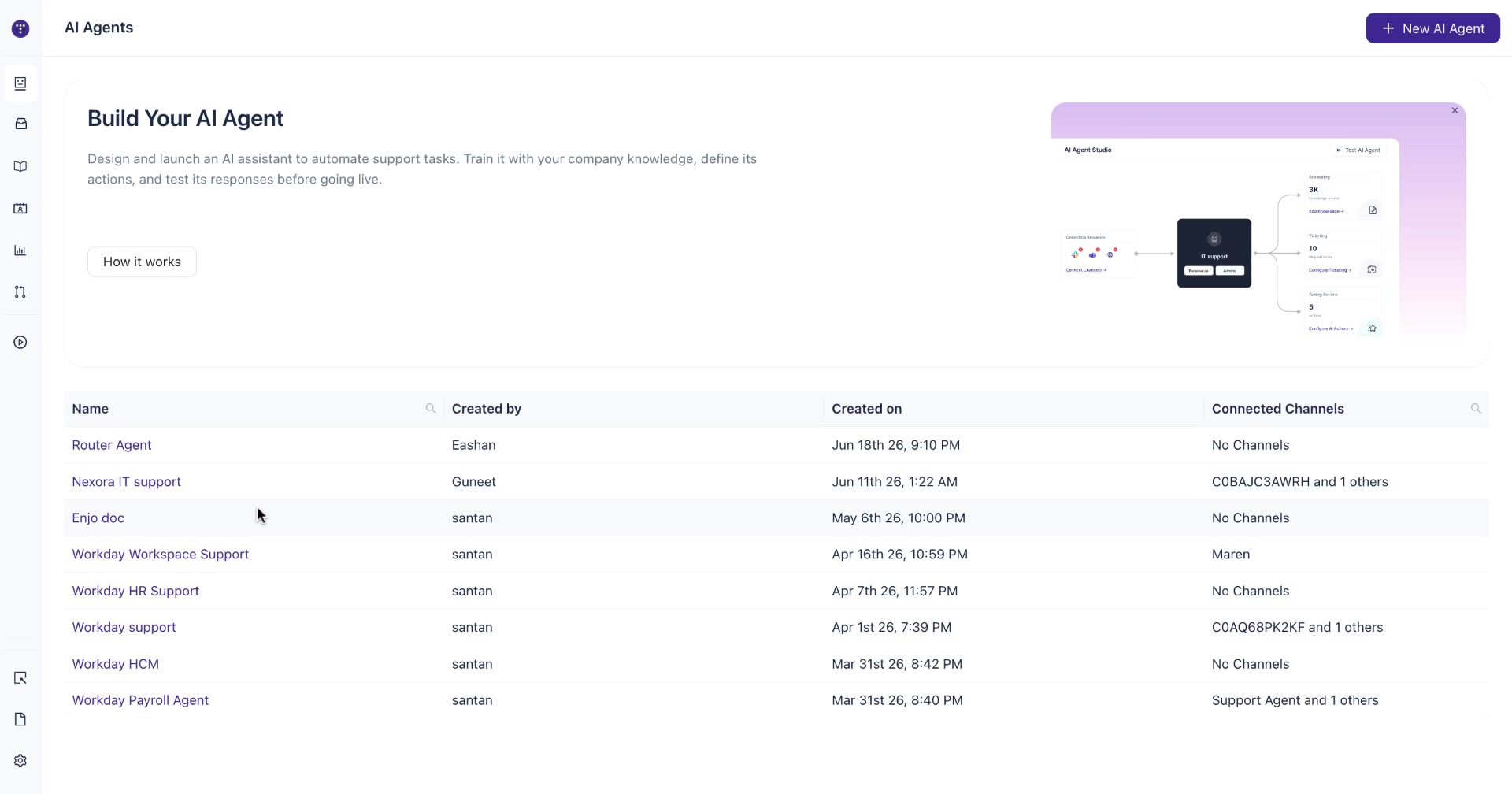
Navigate to AI Agents from the main sidebar and click the name of the agent you want to test.
2. Verify knowledge sources are indexed
In the agent's left sidebar, click Knowledge, then select Sources. Confirm that all relevant knowledge sources show a Done status and a non-zero knowledge block count before proceeding to the Playground.
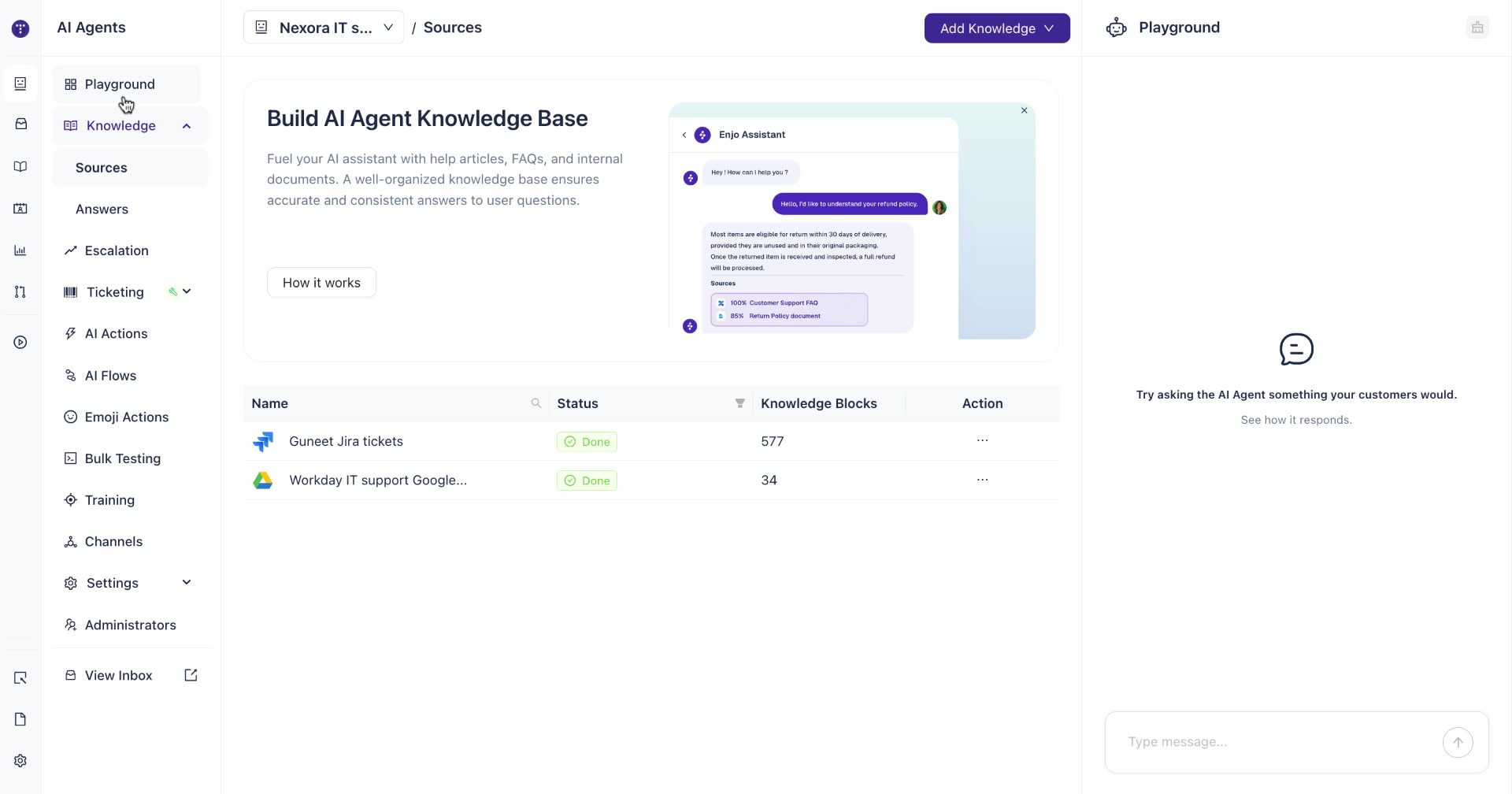
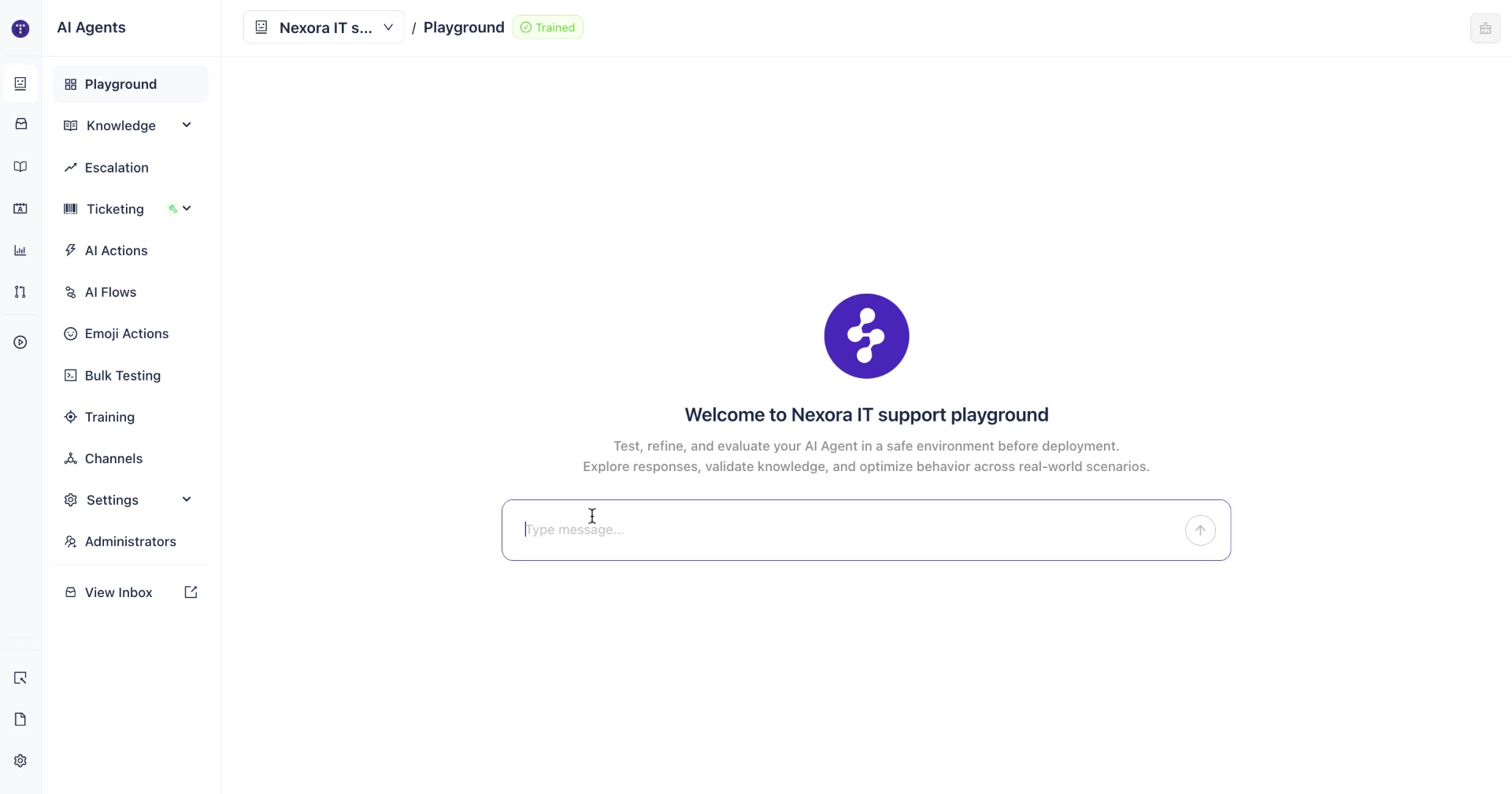
Note: The Playground header shows a Trained badge when the agent has indexed knowledge. If the badge is absent or shows a different state, check that your knowledge sources have finished indexing.
3. Open the Playground
In the agent's left sidebar, click Playground.
4. Send a test query
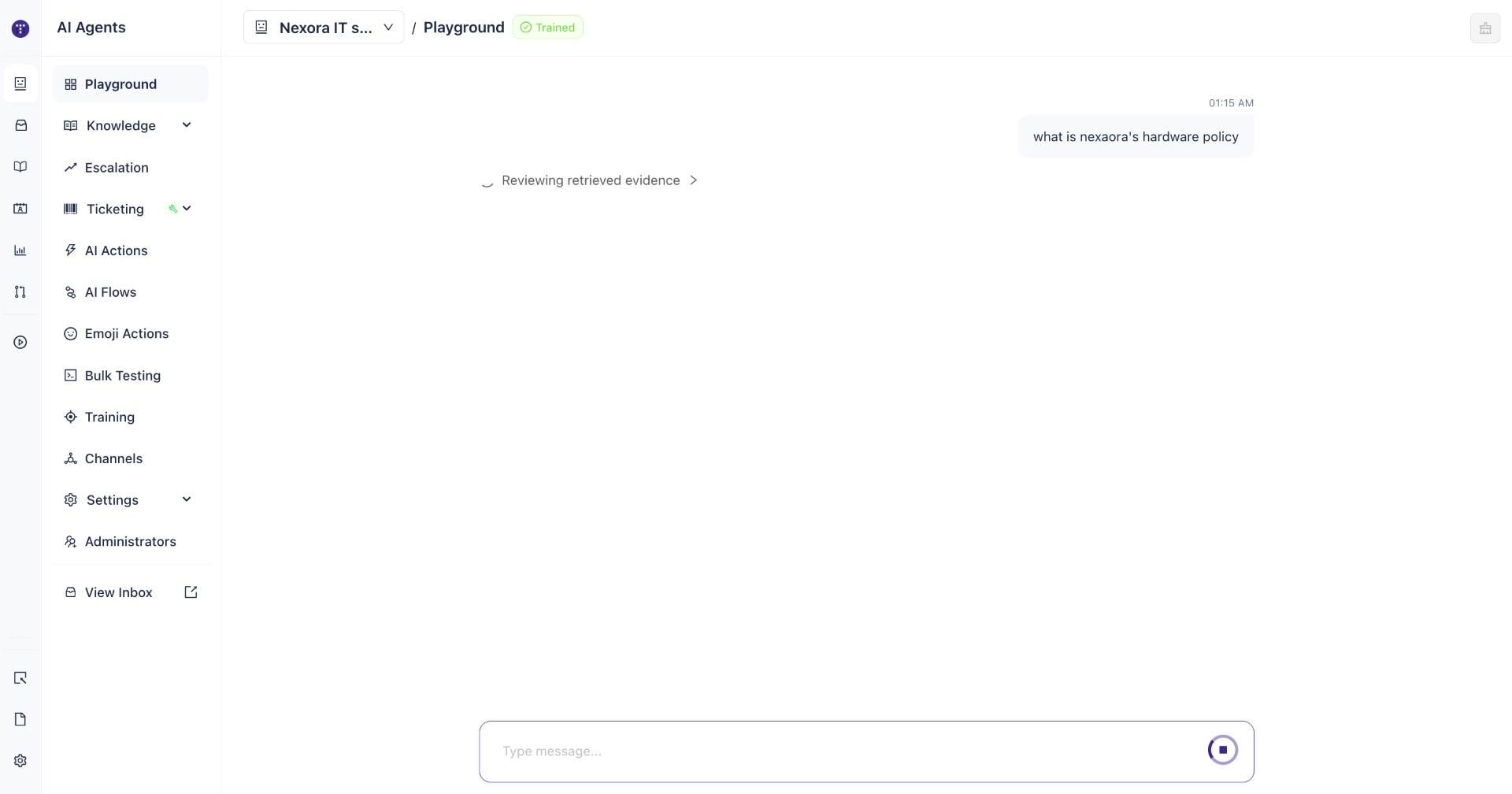
Type a question in the message input at the bottom and press Enter or click the send button. The agent processes the query against its indexed knowledge sources.
While the agent is working, a Reviewing retrieved evidence indicator appears above the response area.
5. Review the response
Once the agent responds, examine the following elements:
Response text — the answer generated from indexed knowledge sources.
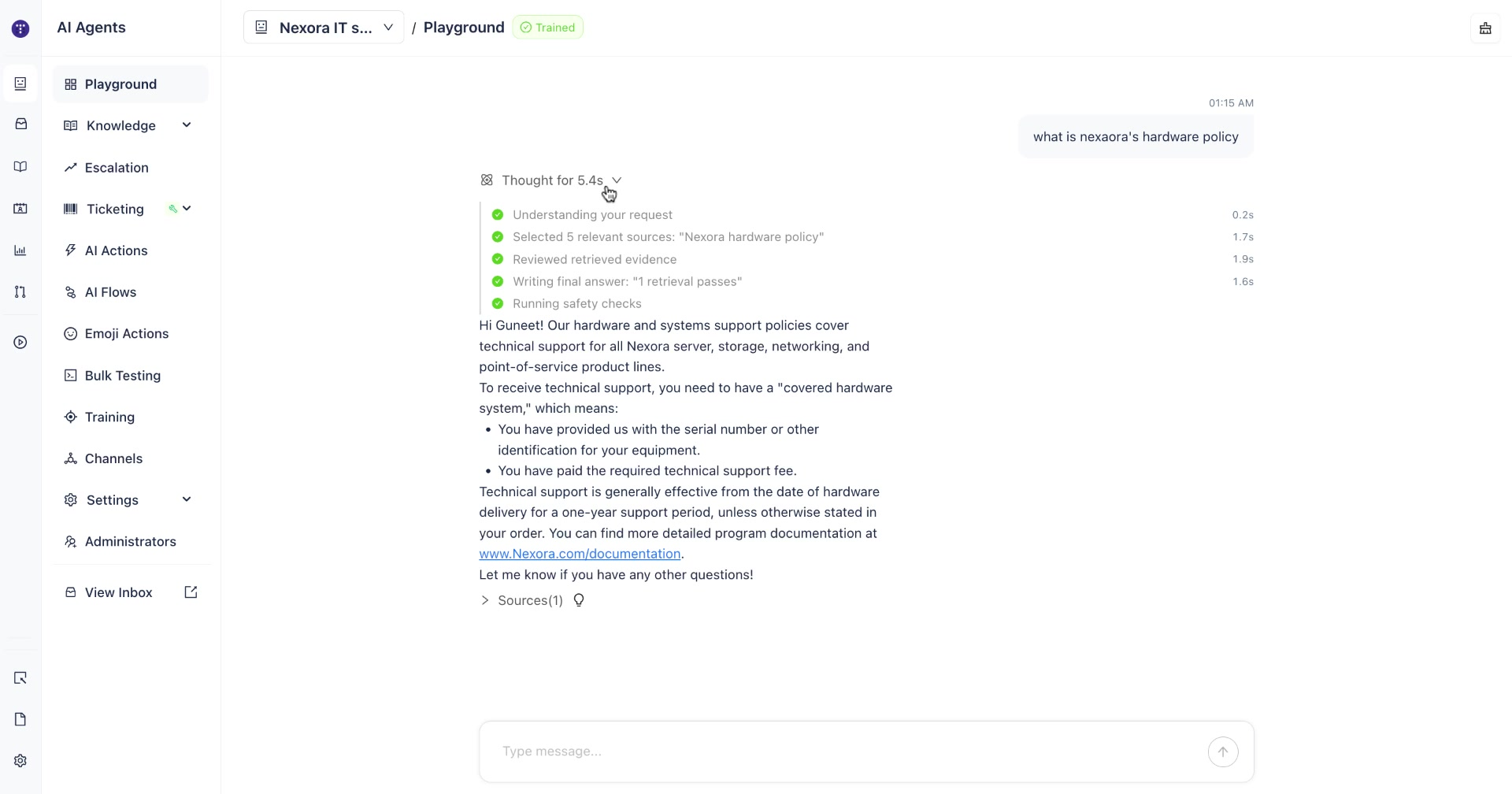
Thought timeline — click the Thought for X.Xs label above the response to expand the execution timeline. This shows each processing step and the time spent on it:
Step | What it shows |
|---|---|
Understanding your request | Time spent parsing the query |
Selected N relevant sources | Which sources were retrieved and the search query used |
Reviewed retrieved evidence | Time spent evaluating retrieved content |
Writing final answer | Time spent generating the response |
Running safety checks | Time spent on guardrail checks |
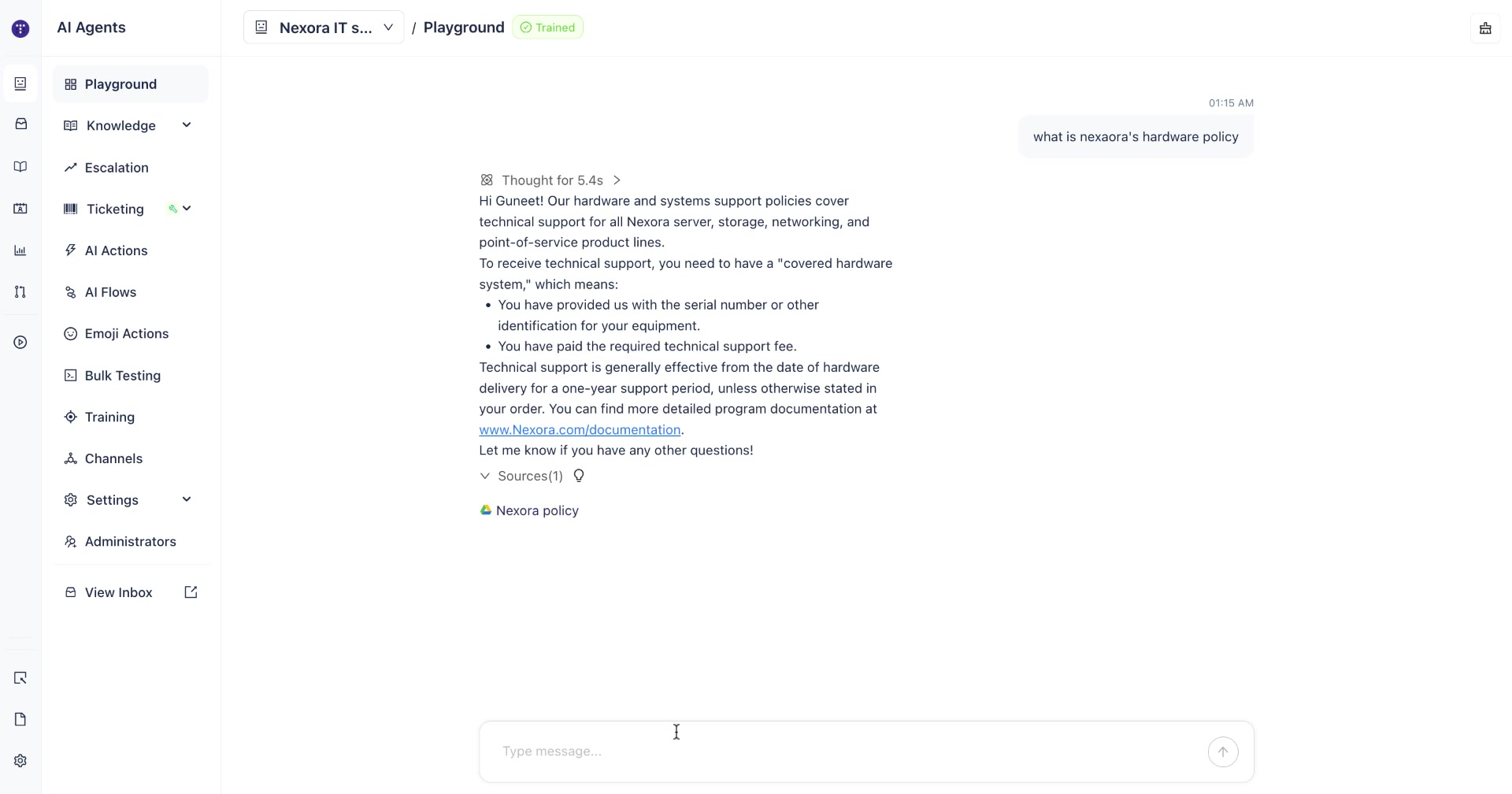
Sources — click Sources(N) below the response to expand the list of knowledge source documents that were referenced to generate the answer. This confirms which indexed content the agent drew on.
6. Send follow-up queries
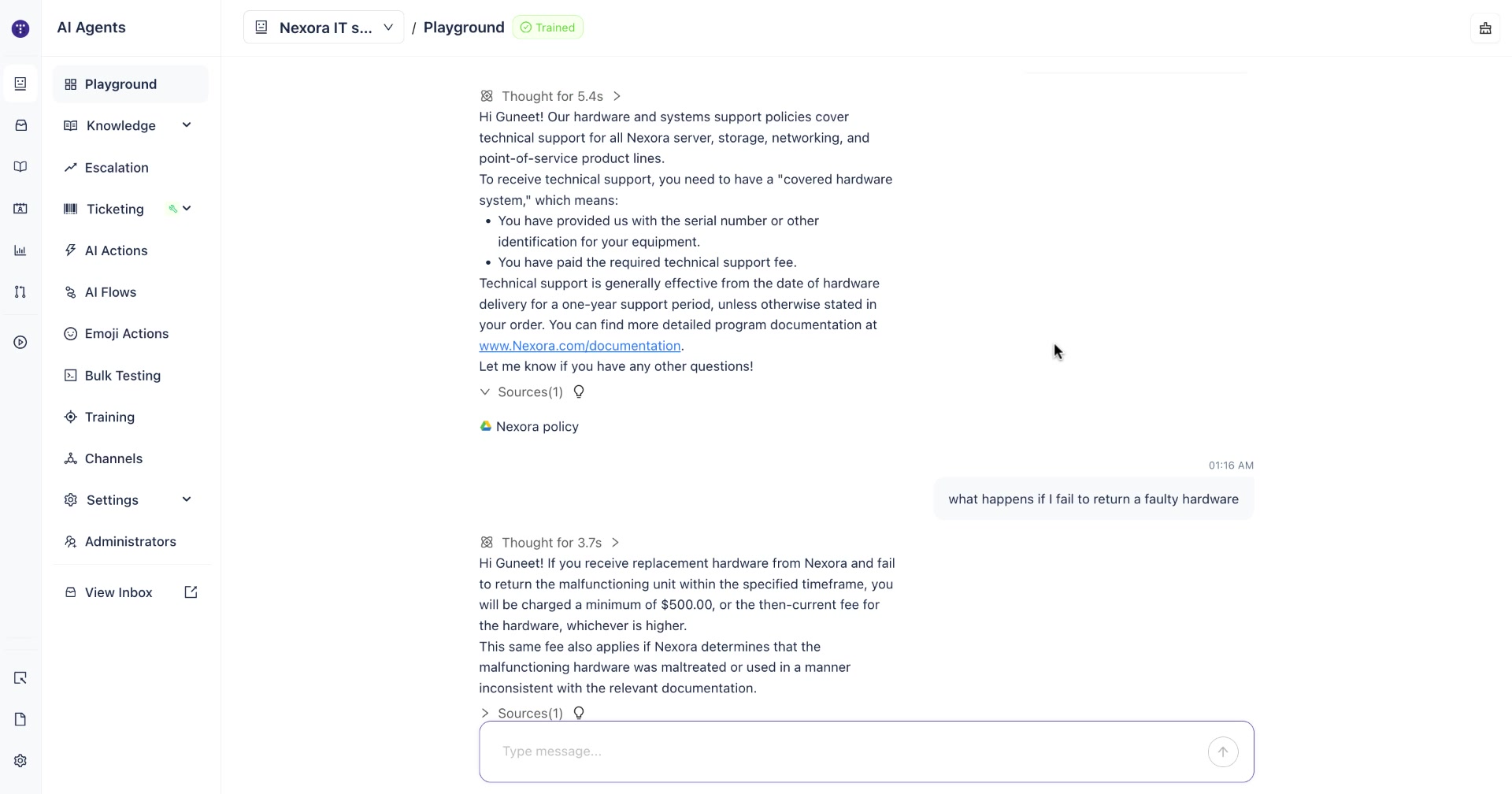
Continue sending questions in the same Playground session to test multi-turn conversation handling. Each response includes its own Thought timeline and Sources citation.
What to look for when evaluating responses
When reviewing Playground output, check:
Source accuracy — does the cited source contain the information the agent used? Open the source link to verify.
Response relevance — does the answer directly address the question asked?
Unanswered queries — if the agent cannot answer a question, the relevant knowledge may not be indexed. Return to Knowledge → Sources and check coverage.
Response latency — the Thought timeline shows where time is being spent. Slow knowledge retrieval steps may indicate a large or unoptimized knowledge source.
What's next
Train your AI Agent — add approved answers and question variations to improve response accuracy for specific queries